I just shipped mobile support for Deus Ex Machina, a puzzle-platformer where you draw arrows to guide a robot through industrial levels. You can now play it on a phone or tablet.
The Problem
Deus Ex Machina was built for desktop:
- left-click to place an arrow,
- left-click again to rotate it,
- right-click to erase, and
Rto restart.
On a touch device, none of those inputs exist, so I needed a way to add touch controls without breaking the desktop experience.
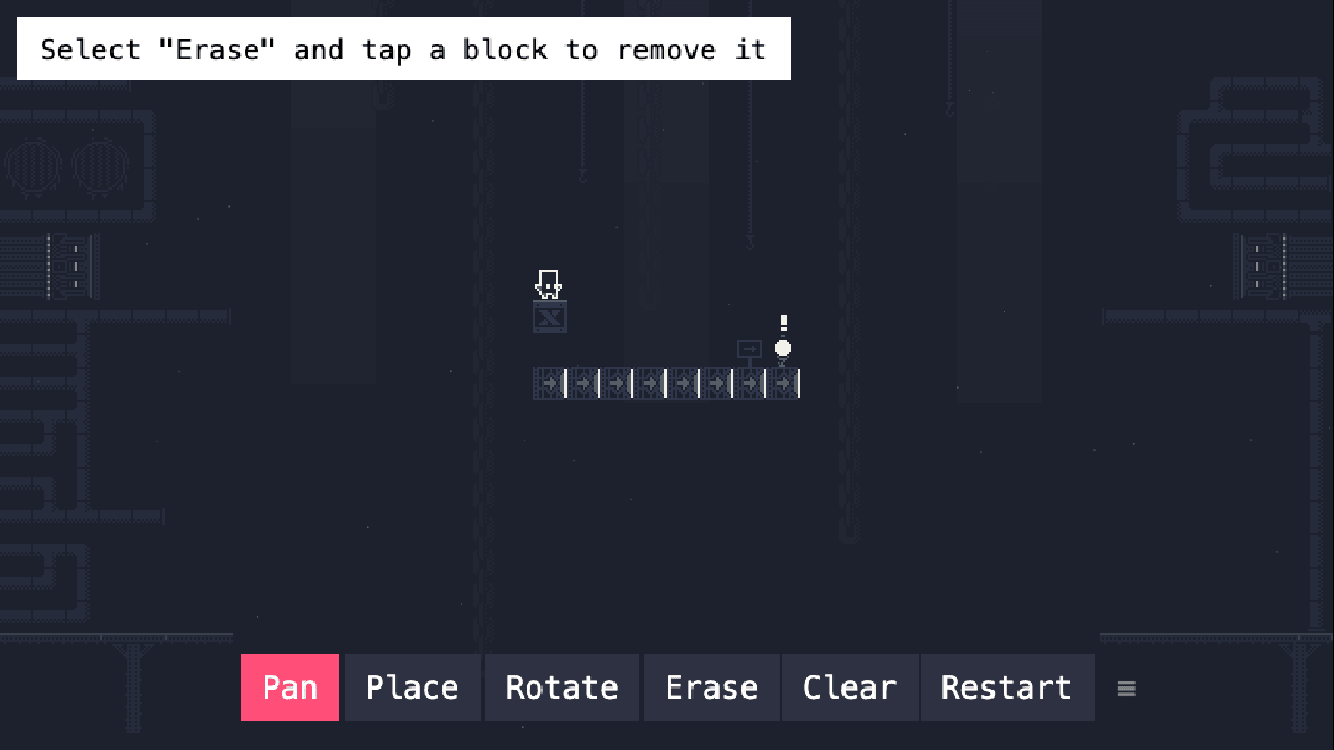
Touch Toolbar
The biggest change is the new MobileToolbar component. It only renders when isMobile() detects a touch device:
export function isMobile(): boolean {
  return (
    'ontouchstart' in window ||
    navigator.maxTouchPoints > 0 ||
    window.matchMedia('(pointer: coarse)').matches
  );
}
The toolbar has 6 buttons:
- Pan
- Place
- Rotate
- Erase
- Clear
- Restart
Pan lets you drag the camera; Place, Rotate, and Erase switch the editor’s mode; Clear resets the arrows; and Restart reloads the current level while preserving any tiles you’ve drawn.
Because the toolbar can block level elements, I added a ≡ drag handle so players can move it anywhere inside the camera view.
A few things I learned while building the drag handle:
- Call
setInteractive()beforesetDraggable()or the Phaser input system will throw. - Clamp the toolbar inside
cameras.main.worldViewso it never drags off-screen.
Camera Gestures
On mobile, the camera responds to touch directly:
- One finger in Pan mode moves the camera.
- One tap with minimal movement performs the selected tile action.
- Two fingers pinch to zoom in and out, with zoom clamped between a fit-to-screen minimum and a maximum of
3x.
Orientation and UI
The manifest now uses landscape-primary, and the game tries to lock the screen to landscape on supported devices. I also updated the level hints so they show a consistent message for each platform.
If you’re making a web game with Phaser, the main takeaway is to keep the desktop and mobile control paths separate when the controls are different. React-style state from phaser-jsx makes the UI easy to manage, but for a drag handle you’ll want to touch the Phaser GameObject directly to avoid re-render surprises.
Give it a try on your phone and let me know how it feels!